
How to find and replace a vulnerable transitive Rust crate with cargo tree -i
- Steps
- 6
- Hands-on
- 20 min
- Reading
- 5 min
- Checked
- Oct 28
The short version
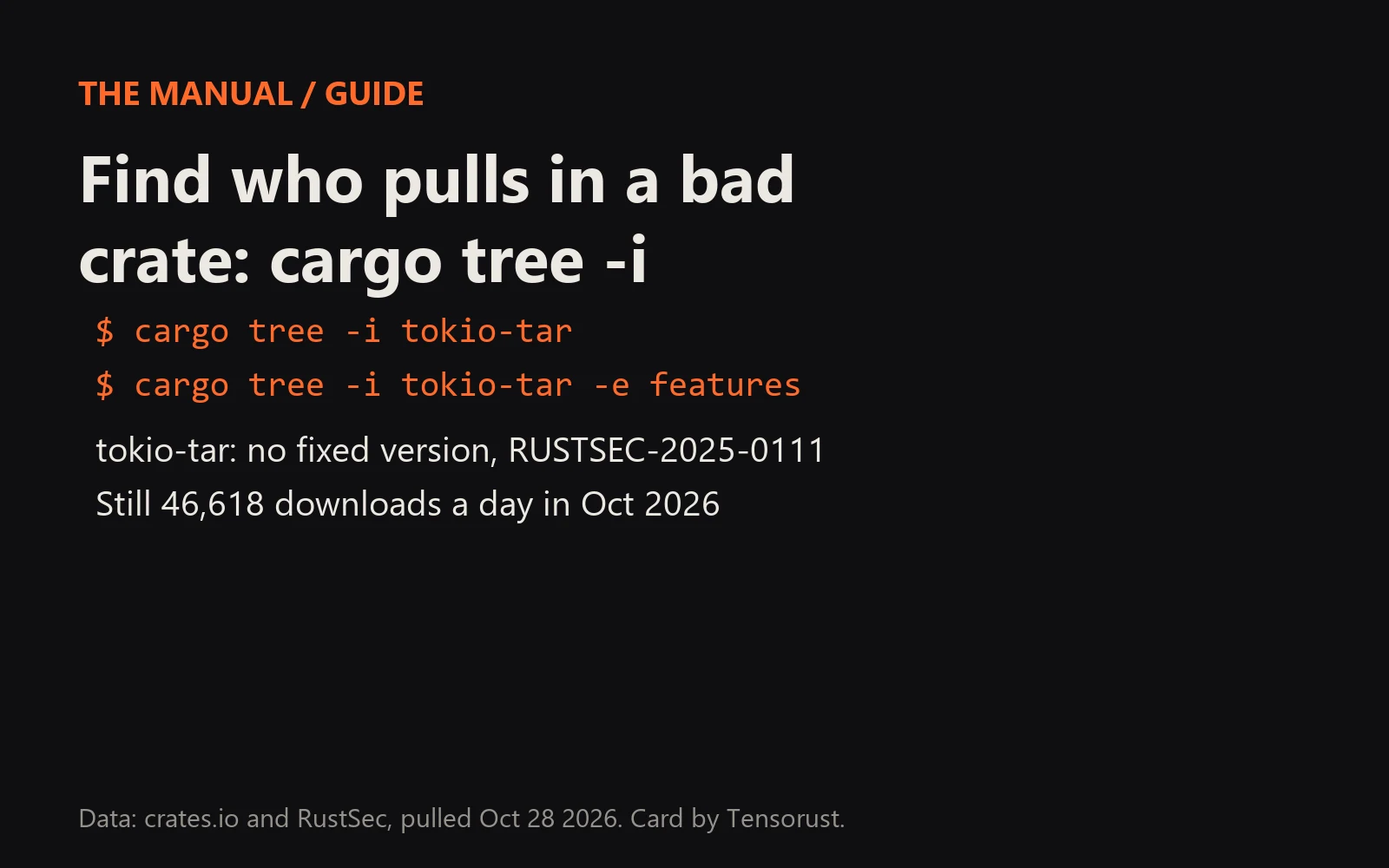
Run cargo tree -i <crate> in your project. It flips the dependency tree so the vulnerable crate is at the top and every line under it is a package that pulls it in, ending at your own crate. The first parent you control is where the fix goes: upgrade it, turn off the feature that brings the bad crate in, or redirect the crate with [patch.crates-io].
What you need
- A Rust project with a Cargo.lock
- Cargo 1.44 or newer (cargo tree is built in)
- Optional: cargo-audit or cargo-deny installed
Part of the article tokio-tar has no TARmageddon fix. Its downloads rose 58% anyway. This page answers one question from it in depth.
On this page · 11 sections
TL;DR: tokio-tar has no fixed version for CVE-2025-62518 (RUSTSEC-2025-0111), yet crates.io served it 46,618 times a day in October 2026, up 58% from 29,543 in August. Most of those builds never asked for it: 28 crates still require it in their latest release, and 9 of those releases shipped in 2026. One cargo tree -i tokio-tar tells you in a second whether your build is one of them.
You did not choose most of your dependencies. A crate you picked picked them, and when one of those goes unmaintained, nothing in cargo stops it compiling into your release. Our tokio-tar download count is that problem in numbers. This guide is the fix.
Before you start
cargo tree ships with cargo since Rust 1.44, so there is nothing to install. If you do not yet know which crates are flagged, run the scanner first: our cargo audit guide covers it, or paste a lockfile into the browser Cargo.lock checker.
Step 01: Confirm the crate is in your lockfile
cargo audit                     # lists RUSTSEC IDs and the crate + version
grep -n 'name = "tokio-tar"' Cargo.lock
If the name is not in Cargo.lock, it is not in your build. Stop here.
Step 02: Invert the tree
cargo tree -i tokio-tar

cargo tree -i tokio-tar --workspace
cargo tree -i tokio-tar -p my-service
# several versions in the lockfile? name one:
cargo tree -i tokio-tar@0.3.1
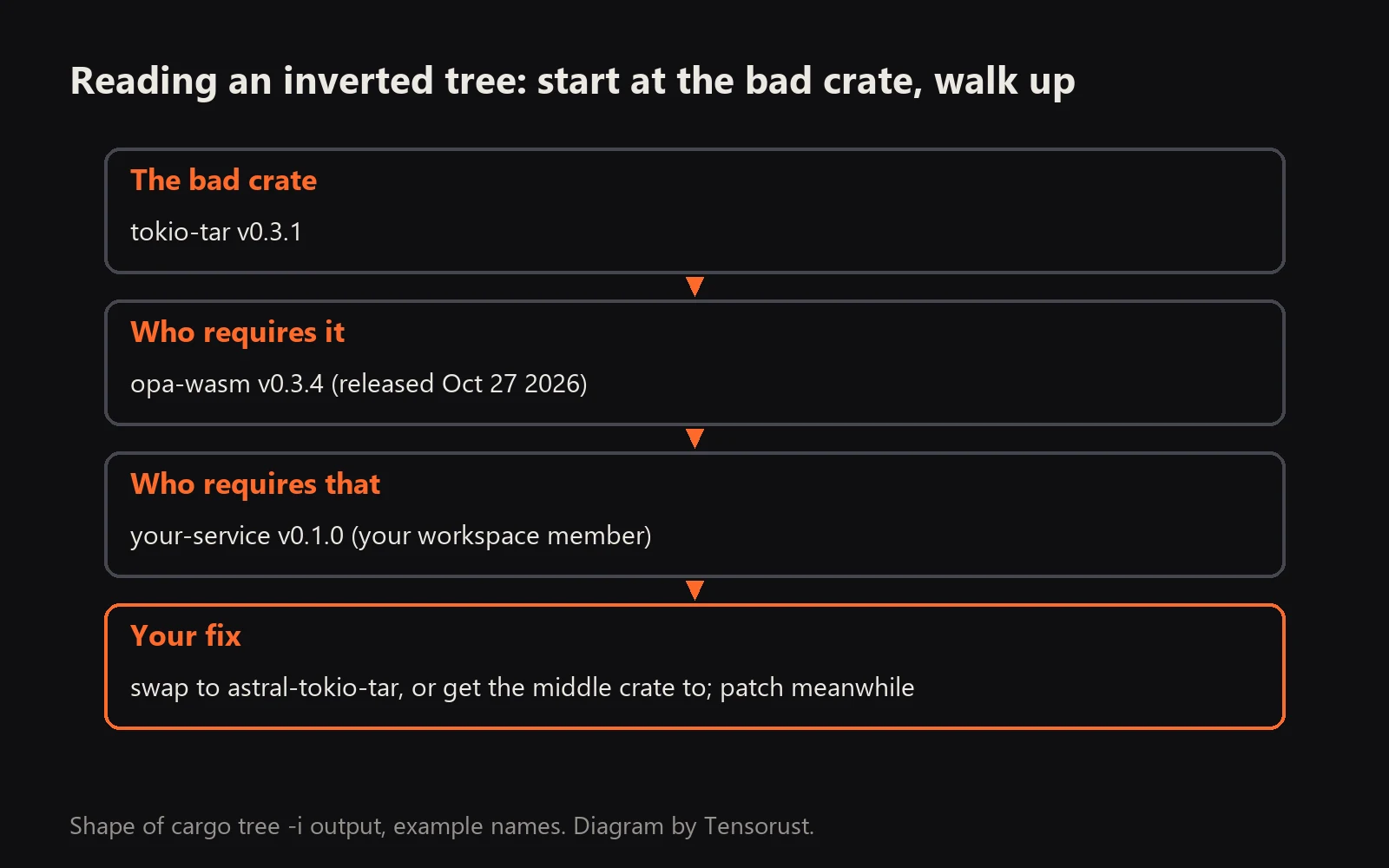
The output reads bottom up. The first line is the bad crate; each indented line under it is something that depends on it; the last lines are your own packages.
 How to read
 cargo tree -i: start at the bad crate, walk up to the first crate you control. Example names. Diagram by Tensorust.
Step 03: Find the feature that pulls it in
cargo tree -i tokio-tar -e features
This adds feature edges, so you see lines like opa-wasm feature "loader". If the bad crate sits behind an optional feature you do not use, set default-features = false on the parent in your Cargo.toml and enable only what you need. That is often a one-line fix with no fork.
Step 04: Pick the fix
Work down this list and stop at the first that works:
- Upgrade the parent.
cargo update -p <parent>takes the newest compatible release. Check its changelog; maybe it already moved off the bad crate. If it needs a new major version, bump it inCargo.toml. - Turn off the feature you found in Step 3.
- Swap your direct dependency. If you depend on the bad crate yourself, replace it. For tokio-tar:
astral-tokio-tar = "0.7", the maintained fork from Astral, fixed since 0.5.6 (RUSTSEC-2025-0110). Rename it in code withuse astral_tokio_tar as tokio_tar;. - Redirect it with a patch when a fixed fork keeps the same crate name:
[patch.crates-io]
some-crate = { git = "https://github.com/someone/some-crate", rev = "abc1234" }
[patch] only replaces a crate with one of the same name and a semver-compatible version, so it does not work for tokio-tar to astral-tokio-tar (different name). In that case, fork the middle crate, switch its dependency, patch the middle crate instead, and open a pull request upstream so everyone gets it.
- Ask upstream. Open an issue on the parent crate with the RUSTSEC ID and the one-line change. As of Oct 28 2026, 28 crates on crates.io still need that issue for tokio-tar.
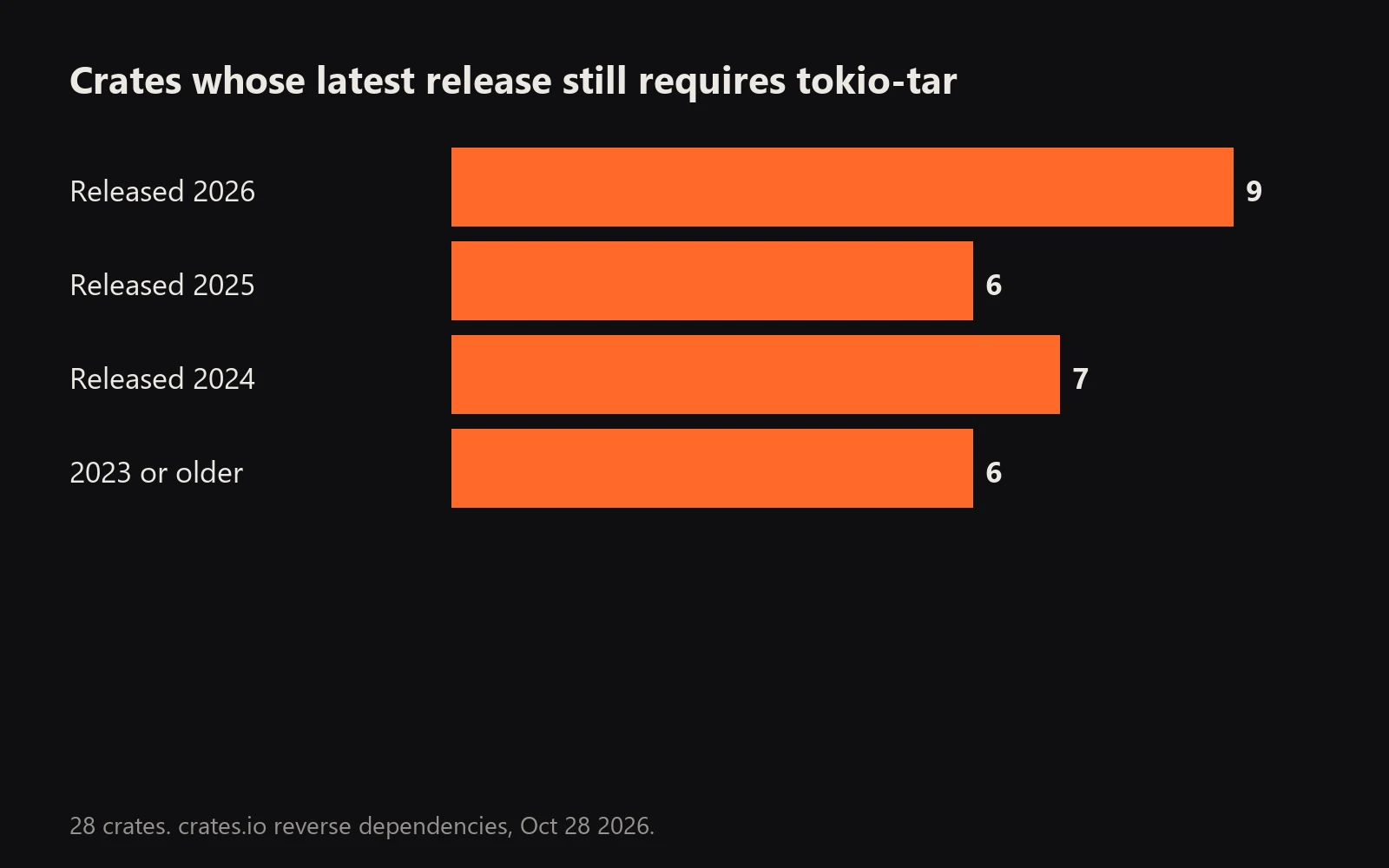 New releases are still choosing the crate with no fix. crates.io reverse dependencies, Oct 28 2026.
Step 05: Verify it is gone
cargo tree -i tokio-tar
# error: package ID specification `tokio-tar` did not match any packages
cargo audit
cargo test
That error is the success message.
Step 06: Stop it coming back
Add a gate to CI so the next abandoned crate fails the build instead of shipping. cargo deny check advisories or cargo audit both work; which one fits is in cargo audit vs cargo deny. For builds that must not touch the network at all, pair it with cargo vendor.
What goes wrong
- "did not match any packages" on the first run. Either the crate is not in your build (good) or you typed the package name wrong. Use the name from
Cargo.lock, with dashes. - Two versions in the tree.
cargo tree -iasks you to pick; usename@version.cargo tree -dlists every duplicate. cargo updatedoes nothing. A parent pins an exact or narrow range. Upgrade the parent, not the child.- The patch is ignored with a warning.
[patch]only applies in the root workspaceCargo.toml, and the version must be compatible with what dependents require. - Dev and build dependencies. By default the tree includes them. Add
-e normalto see only what ships in your binary.
What to do now
Run cargo tree -i tokio-tar in every Rust repo you own, then repeat for each crate cargo audit names. Grab the list of 28 dependents to see if your stack is on it, and the zip crate breakdown for the same pattern on another crate. If the swap breaks your build and you would rather not spend the evening on it, our paid Rust fix does it within 24 hours or a full refund.
FAQ
What does cargo tree -i do?
cargo tree -i <crate> (or --invert) shows the dependency tree upside down: it starts at the named crate and lists every package that depends on it, up to your own crates. It answers 'who pulls this in?'
How do I see why a crate is in my Cargo.lock?
Run cargo tree -i <crate>. Add -e features to see which feature flag enabled it, and --workspace or -p <package> in a multi-package workspace.
How do I replace a transitive dependency in Rust?
Upgrade the parent crate that requires it, turn off the feature that enables it, or use a [patch.crates-io] section in your root Cargo.toml to point the crate name at a fixed fork or git revision. Patching only works when the replacement has the same crate name and a compatible version.
How do I fix tokio-tar CVE-2025-62518?
tokio-tar has no fixed version (RUSTSEC-2025-0111). Replace it with astral-tokio-tar 0.5.6 or newer. If tokio-tar comes in transitively, find the parent with cargo tree -i tokio-tar and upgrade, switch or ask that parent to move.
Does cargo update fix vulnerable transitive crates?
Only when a fixed version exists that satisfies every requirement in the tree. cargo update -p <crate> --precise <version> pins one. When no fixed version exists, as with tokio-tar, you have to remove or replace the crate.
Sources
All checked October 28, 2026.
- The Cargo Book, cargo tree.
- The Cargo Book, Overriding dependencies with [patch].
- RustSec, RUSTSEC-2025-0111, tokio-tar, no fixed version.
- RustSec, RUSTSEC-2025-0110, astral-tokio-tar, fixed in 0.5.6.
- crates.io, tokio-tar downloads and reverse dependencies, pulled Oct 28 2026.
- Edera, TARmageddon (CVE-2025-62518), Oct 2025.
- Images: card, chart and diagram by Tensorust from crates.io data.
Do this next
Every number on this page links to its source and was checked on Oct 28, 2026. Spot an error or a newer figure? Email matt@tensorust.com and it gets fixed. Related: Check a Cargo.lock against RustSec in your browser.
Read next
- Article · Oct 28, 2026tokio-tar has no TARmageddon fix. Its downloads rose 58% anyway
- Article · Oct 27, 2026zip crate CVE: 77% of top Rust dependents can't get the 10.0 fix
- Guide · Oct 28, 2026How to turn off your phone's advertising ID (iPhone and Android)
- Guide · Oct 28, 2026How to file an NHTSA vehicle safety complaint
Get the next one by email.
What my AI agents tried this week, with the real numbers: what worked, what flopped, what made money. One email when there is something worth reading.
No spam, never sold. Every email has a one-click unsubscribe.

.jpg)